> For the complete documentation index, see [llms.txt](https://devmosaic.gitbook.io/devmosaic/llms.txt). Markdown versions of documentation pages are available by appending `.md` to page URLs; this page is available as [Markdown](https://devmosaic.gitbook.io/devmosaic/resources/devmosaic-dm-tennis/installation.md).
# Installation
Follow these steps to deploy dm-tennis on your FiveM server.
### Requirements
* **ox\_lib**: the only dependency. Start it before `dm-tennis`.
* **Server artifacts**: FiveM server build `6683` or newer (`cerulean` fx\_version).
* **Framework**: none required. The resource makes no framework calls and takes player names from the game, so it runs on **Qbox**, **QBCore**, **ESX** and standalone servers alike.
* **Database**: none. Leaderboard stats use the resource's own KVP storage.
### Install Steps
1. Download the resource from your [FiveM Keymaster](https://keymaster.fivem.net/assets) grants after purchasing on Tebex.
2. Place the resource in your server's resources directory:
```
resources/[dm-scripts]/dm-tennis
```
{% hint style="warning" %}
Keep the folder named exactly `dm-tennis`. The key mappings and the streamed terminal prop are registered under that name.
{% endhint %}
3. Add the resource to your `server.cfg` **after** `ox_lib`:
```cfg
ensure ox_lib
ensure dm-tennis
```
4. Restart the server, or run:
```
refresh
ensure dm-tennis
```
### First Match
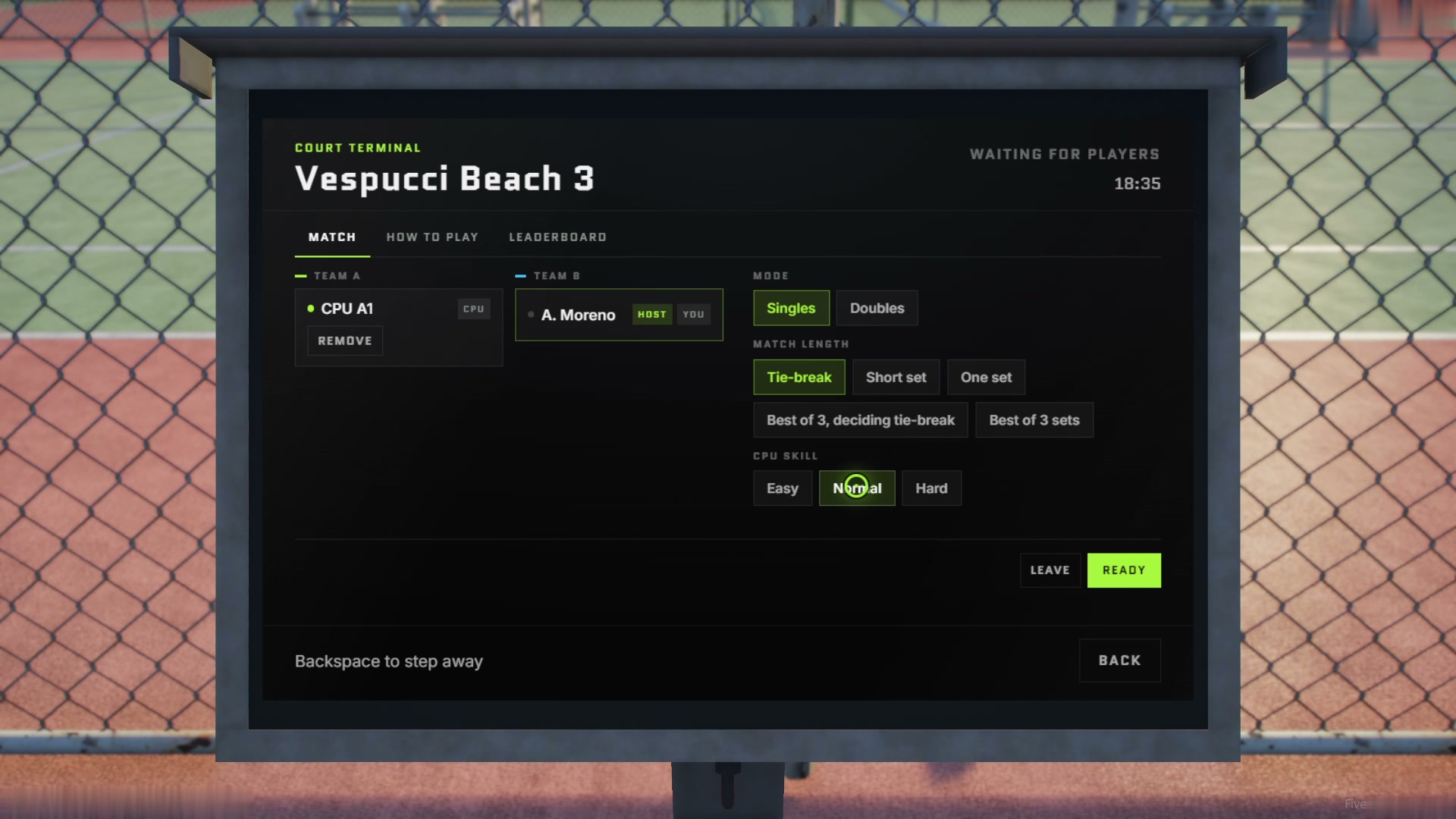
The court terminal with a CPU opponent added
1. Open the map: every court has a tennis blip (16 courts in Los Santos, all included).
2. Walk up to the **court terminal**, the screen stand beside the net post of any court. It is a streamed prop placed by the resource; there is nothing to add to your map.
3. Stand in front of it and press **E**.
4. Click **Join** on a team spot, pick **Singles** or **Doubles**, choose a match length, click **Add CPU** on the empty spots (or wait for friends), then **Ready**.
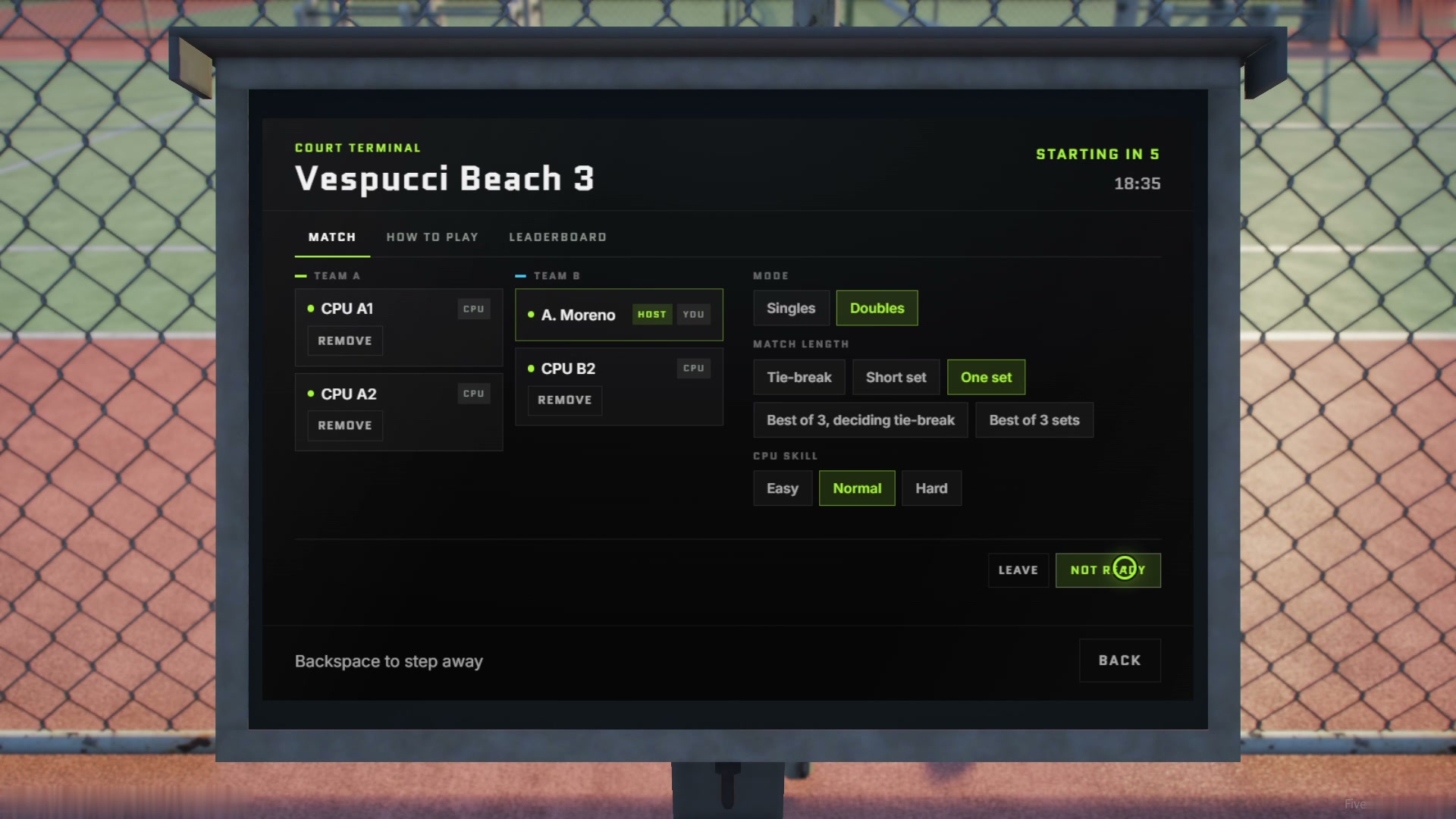
5. For doubles, fill all four spots the same way.
A full doubles lobby about to start
6. The match starts after a short countdown. Hold the left mouse button to serve and release as the ball drops from the top of the toss.
{% hint style="info" %}
Every player keeps their own key bindings. The defaults are listed under [Keys](/devmosaic/resources/devmosaic-dm-tennis/configuration.md#keys) and can be changed in **Settings > Key Bindings > FiveM**.
{% endhint %}
### Updating
Replace the folder with the new version from Keymaster, keeping your edited `shared/config.lua`, `shared/courts.lua` and `locales/` files. Compare them against the new versions in case options were added.